
Pair Site Builder is a drag-and-drop website builder you can add to your account to create and manage websites. This article explains how to create a new website and complete the initial setup.
Choose the tutorial that reflects your ACC interface type:
Not sure what the difference is? See Which ACC Interface Am I Using?
If you are using the Legacy Interface:
- Log in to the Account Control Center (ACC) at my.pair.com
- In the left sidebar, click Add Ons
- In the dropdown, click Pair Site Builder
- Next to Add Pair Site Builder to domain, select the domain from the dropdown list
- Click Choose Plan
- Choose your plan and billing term
- Click Purchase Site Builder
Pair Site Builder is now set up on this domain. You can now begin editing your website. Click the Edit Site button to enter the Pair Site Builder.
Note: Your site will not be visible on the internet until you click the Publish button in the Pair Site Builder. Once published, the live version will appear at your selected domain.
If you are using the New ACC Interface:
- Log in to the Account Control Center (ACC) at my.pair.com
- In the top navigation bar, click Site Builder
- Next to Add Pair Site Builder to domain, select the domain from the dropdown list
- Click Choose Plan
- Choose your plan and billing term
- Click Purchase Site Builder
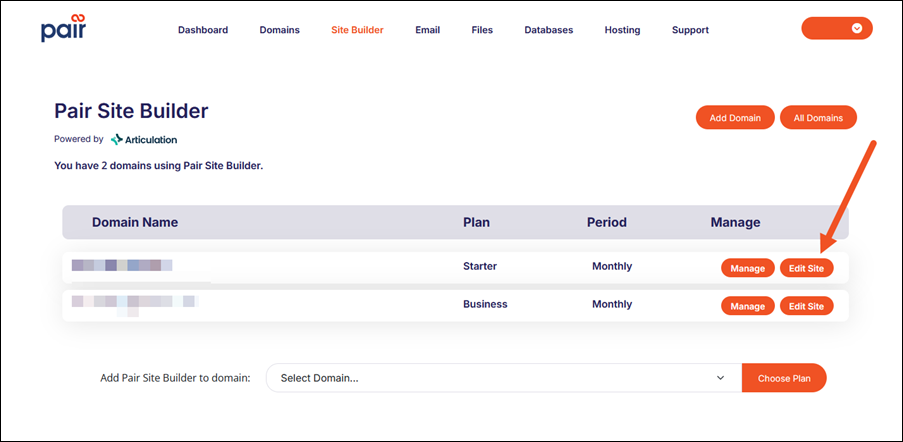
Pair Site Builder is now set up on this domain. You can now begin editing your website. Click the Edit Site button to enter the Pair Site Builder.
Note: Your site will not be visible on the internet until you click the Publish button in the Pair Site Builder. Once published, the live version will appear at your selected domain.
Using External DNS
If your domain is not hosted at Pair, you will need to update its A records to point the domain to your newly built site. Make these changes at your DNS provider to ensure the site loads properly.
Additional Resources: